Dashboard User Guide
The Calyntro Dashboard is your central hub for exploring the health and evolution of your software project. This guide explains how to navigate the interface and use its features effectively.
Views
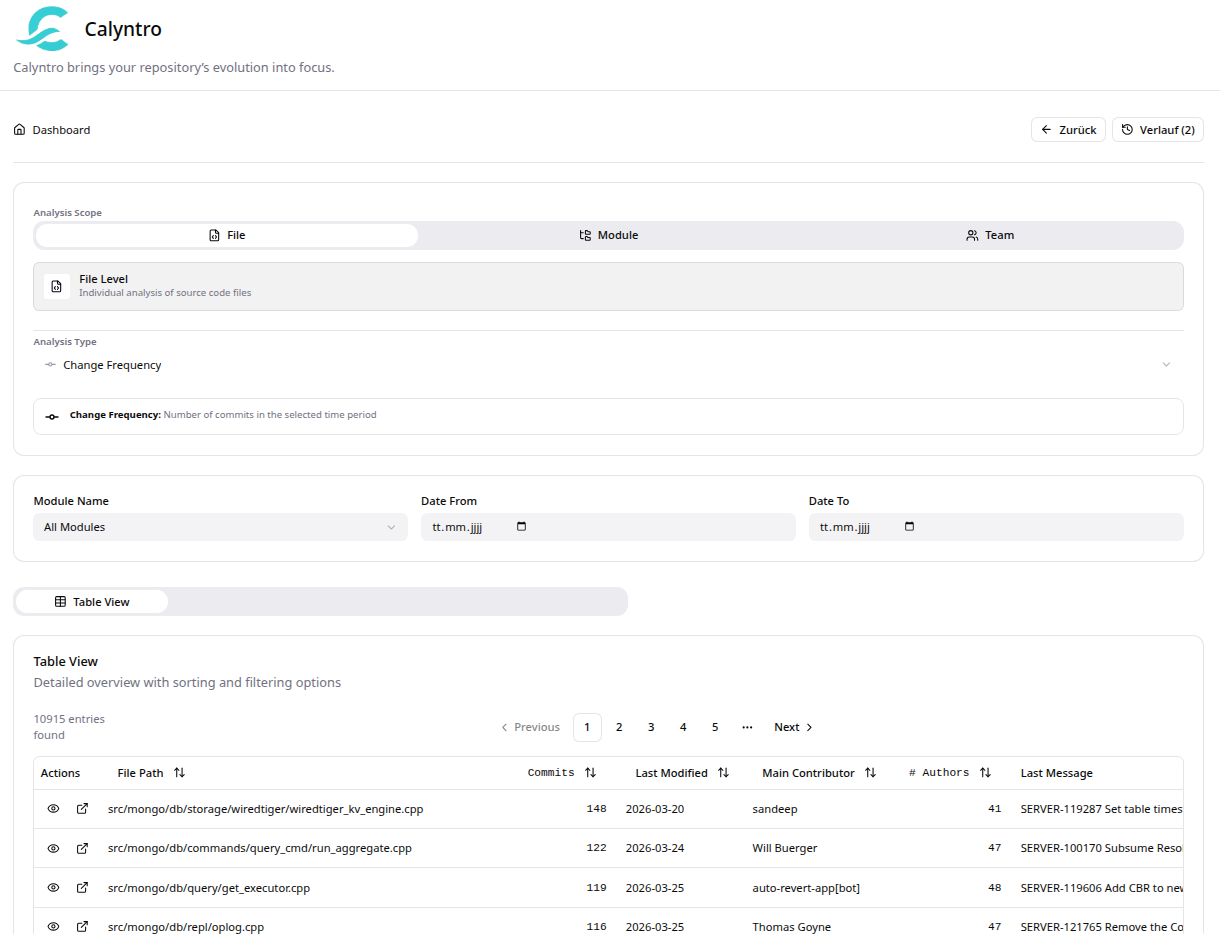
Calyntro currently provides a detailed table view for exploring your code analysis results.
1. Table View
The default view. It provides a detailed, sortable list of all files or modules matching your criteria.
Sort: Click on any column header to sort by that metric.
Quick Actions: * Eye Icon: Opens a quick summary panel on the right. * External Link Icon: Opens a full-screen modal with detailed file history and metrics.